 Tactical operations interface
Your AI assistant,
on your desktop.
You're the boss — just tell Darwin what you need, and it gets it done. Spin up your own team of AI agents, hand them the work, and simply talk. No menus, no learning curve.
Always improving · we keep building it — new updates are built in, pull them whenever
Buy once · no subscription to us · runs on your machine
Talk to Darwin right here ↓ · Working with other people? Darwins can be connected — see team setups.
You remember JARVIS — the assistant from Iron Man?
This one is real — and it's yours.
Wake up to a day that's already organised — and take your best hours back.
One day you're digging through files by hand, copying something into your calendar, retyping an e-mail — and it clicks: Darwin could just do this. "Put this in my calendar." "Draft a reply." "Find me that document." No tab, no copy-paste, no "let me go do that myself."
And why the name Darwin? Because this assistant evolves — it learns you, writes itself new tools when one is missing, and every update makes it more capable. One more thing people don't expect: Darwin is a name worn by both men and women. So pick the voice and the look that feel right to you — warm or cinematic, him or her — and you're still simply talking to Darwin.
Our promise: buy once and every future update is free. The price grows as features grow — so the earlier you join, the lower your price stays, for good. And to be clear: free-updates-for-life is an early-launch guarantee — once you've bought, nothing ever changes for you; we just can't promise the same offer stays open for future buyers.
For your work — and the rest of your life.
Darwin fits people who live on a PC — founders, freelancers, anyone who runs their day on a screen — and it's just as much your assistant at home. You buy it once; it shapes itself to whatever you throw at it.
Need a tool? Darwin codes it — from a sentence.
Describe what you want and Darwin builds it: a small app, a script, that clunky macro-Excel turned into a clean browser tool. No developer, no waiting — and when it's missing a capability, it writes that too.
Buy something? It keeps the manual — and the warranty date.
Tell Darwin what you bought and to remember the manual. Later you just ask “how do I reset this?” or “how long is the warranty?” and it answers on the spot — it files and organises all of it for you.
Your health history — and you can actually find it.
Load your own records and Darwin keeps the thread, private, on your machine. When a doctor asks what you were treated for and when, you ask Darwin and read it straight back. It sees the connections you’d otherwise dig for.
Learning or training? It builds the app — and coaches you.
No need for a million apps. Tell Darwin what you’re studying or training for and it builds you the exact tool — draws your progress charts, quizzes you to check it really stuck, and advises you on the next step. It sees how you’re improving and where to push.
Ask Darwin. Meet the team.
This section works like Darwin's own dashboard. Tap a question — he answers in his real voice. Then let the agents introduce themselves.
Tap a question — Darwin answers in his own voice.
Another question — or a technical issue? Ask Darwin directly.
A few free questions a day — he answers in his real voice. The full Darwin also listens hands-free and does the rest.
I built this for myself first.
I've wanted a JARVIS ever since I first saw Iron Man — the technology just wasn't there yet. When AI finally arrived I was thrilled, and like many I started on ChatGPT, trying to make it real. It wasn't quite the thing.
A couple of years later I tried again — this time with Claude Code. I built a prototype, saw what it could really do, and honestly it overwhelmed me; I shelved it. A few weeks later I came back and went all in.
I'm a bridge engineer — for 15 years I've built 3D design software that engineers rely on for real work: my Easy Bridge® is used by design offices across our region, the large engineering firms among them. So I know what trustworthy, everyday software has to feel like. What Darwin and I have done in the last month I can barely believe. That leap people talk about — a ten-year plan done in half a year — stopped sounding like a slogan. Darwin is now my everyday companion. You're looking at the tool I use every single day. Join the others already feeling it.
— Gabriel, founder of BlueberryS · bridge engineer & maker of Easy Bridge®
An assistant that actually knows you.
Everything Darwin and the agents learn lives in plain files on your disk — facts, notes, project knowledge, each agent's own diary. You can browse it as a living graph, just like this one.
- Permanent memory — never wiped by a reset
- Finds by meaning, not just the exact word
- Reads scans and photos of documents
- A rotating map of meanings — you see what belongs together
- Each agent keeps its own expertise, separately
- Plain markdown files — yours, portable, no lock-in
- Drag the brain — this is a live simulation
And this is the meaning map
The graph above is structure; this is meaning. Every memory is a point in space — similar things sit close together, and a question pulls in the nearest ones.
Tap a question and watch what Darwin pulls in.
Three brains. You choose.
We'd rather tell you the truth than oversell. Pick the brain per the task — and switch anytime.
Your own API key
Simplest. Pennies per conversation, billed to you by Anthropic. Works the moment you paste it in.
Claude Code · flat-rate
On your Claude subscription — no per-use cost. Best value for heavy, multi-step work; the same engine professional developers use.
Local · free & offline
Runs on your PC, nothing leaves. Great for chat, web look-ups and simple file jobs — a smaller model, so it leaves heavy work to the cloud, and says so honestly.
Give Darwin his voice.
Darwin speaks through ElevenLabs — and voices can't be shared between accounts, so you create yours once. Darwin first spoke as “Marcus” from the voice library; that voice has since disappeared, so we designed our own. We generated over thirty voices — these three came out best. Paste a prompt into ElevenLabs → Voice Design, and Darwin sounds like Darwin.
Never used ElevenLabs? Darwin walks you through the key himself — watch the 2-minute guide › · and to make him hear you, get your free Groq key ›
Variant A — Warm Professional
⭐ RecommendedCreate a deep male voice around 35–40 years old. The voice should sound calm, intelligent and trustworthy. It should have a warm tone without sounding overly dramatic. Speak naturally with confident pacing. Avoid radio-announcer energy. Avoid exaggerated emotions. The voice should feel like an experienced engineer or AI assistant that explains complex things in a simple way. Suitable for long conversations, tutorials and daily assistance.
Variant B — Cinematic
Create a deep cinematic male voice.
Calm and authoritative.
Slightly more dramatic than everyday conversation.
Suitable for introductions, presentations and storytelling.
Not theatrical.
Natural breathing.
Variant C — Jarvis Style
Create a calm futuristic AI assistant.
Intelligent.
Confident.
Warm.
Helpful.
Slightly dry humour.
Never robotic.
Natural pauses.
Medium speaking speed.
Hear it before you keep it
Preview every candidate with the same test line — the differences show immediately:
Good morning, sir.

All systems are operational.

Today's schedule is ready.

How can I help you?
Less a chatbot. More a member of staff.
It doesn't just answer — it acts, on your computer, with real tools.
Your day, handled.
Wake up to a sorted inbox and a planned day. Darwin reads your mail, drafts replies in your tone for a quick nod, triages what matters, and briefs you on the day ahead — before the coffee cools. You just approve.
- Email & calendar, on autopilot
- Smart inbox triage & morning briefing
- Talk to it, hands-free
The busywork, gone.
Stop retyping and digging. Hand Darwin your files and it reads, converts and rebuilds them — even an old macro sheet into a clean browser app. It searches the web, pulls what you need, and turns it into a document or an image, on demand.
- Works your files & builds apps
- Searches & reads the whole web
- Generates images & media
Real teammates — not costumes.
Spin up specialist agents and hand them the work. Each is more than a name and a voice: its own lasting memory, its own project folders, its own tools — and when one is missing, Darwin writes it. You delegate; they work in parallel and report back. Everything stays as plain files on YOUR disk.
- Its own memory, folders & tools
- Remembers your projects across sessions
- Works in parallel, on your machine
A demo is easy.
Making it truly work — and keeping it from falling apart — isn't.
Tutorials get you a talking orb in an evening — we'll even hand you a starter guide. A tool you rely on every day — one that actually works, and keeps working — is a different thing, and that's exactly the part those tutorials quietly skip.
Big memory quietly ruins you on cost.
The easy way — pour everything into text files and feed the whole pile to the model on every question — works for a week. Then each answer reloads all of it, and the more your assistant knows, the slower and pricier every single reply gets.
Darwin doesn't remember more. It remembers well.
Before each answer it pulls only the few notes that actually fit the question, decides what's worth keeping and what to let go, keeps your critical rules always at hand, and won't let a thousand invoices drown out the one thing you asked. Search runs on your own machine, in about a second — at no cost per query. The price of an answer never grows with everything Darwin knows.
Stuck? Ask Darwin — he's his own helpdesk.
Darwin is a whole system, and it knows itself. Not sure how to set something up, or what it can even do? Just ask — it explains its own capabilities and walks you through them. Your first line of support is Darwin.
Hundreds of hours went into getting this right — memory, security, a dozen moving parts kept in sync. You can't paste that in from a prompt. You're not buying an evening's tinkering; you're buying the finished thing. So Darwin isn't a cost — it's an investment that pays you back in hours, and in the work it quietly gets done.
Your dashboard — your way.
This is Darwin's real interface, and it's yours to arrange: switch themes, add or remove agents, turn each capability on or off. Here's a look.
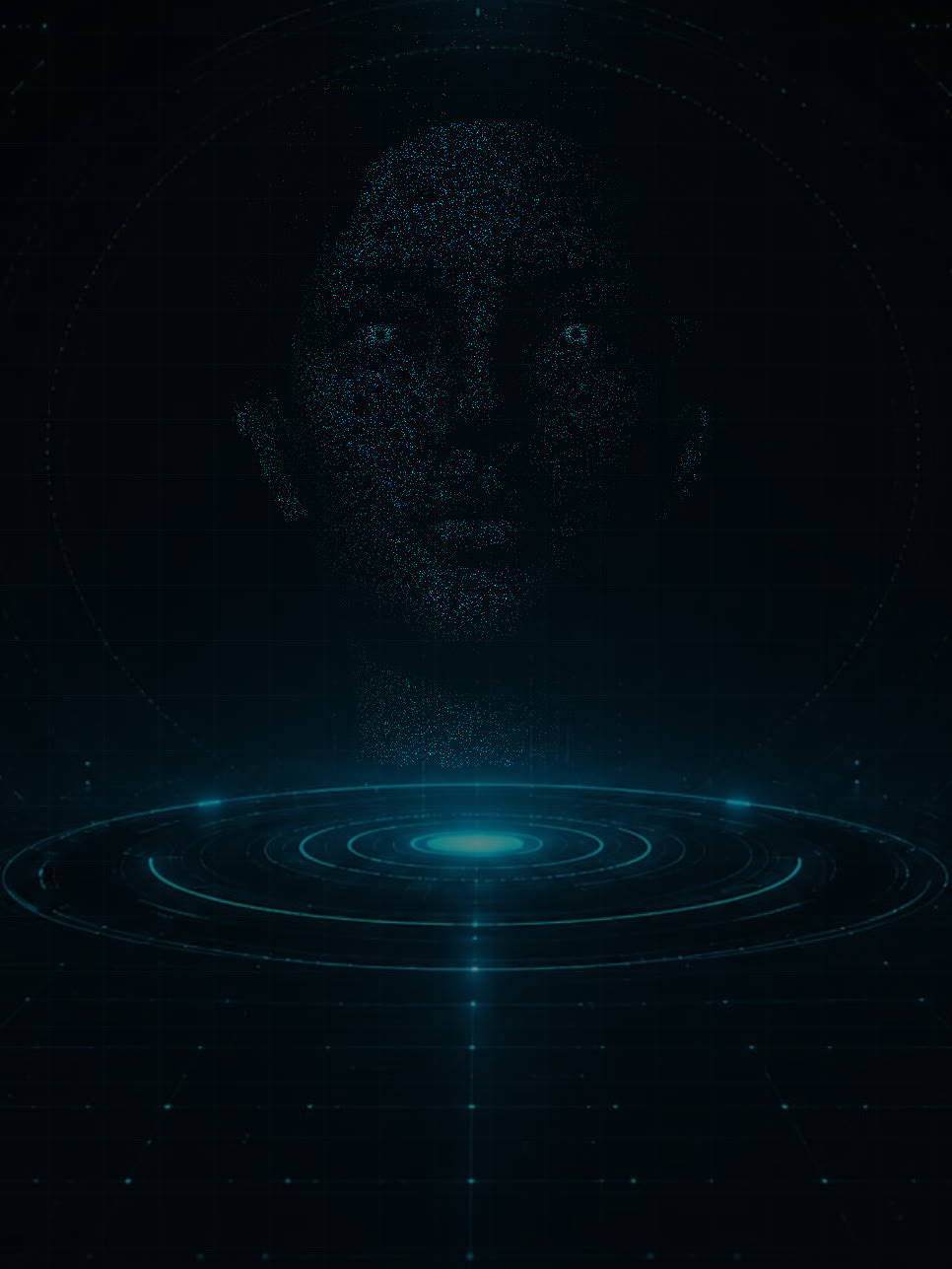
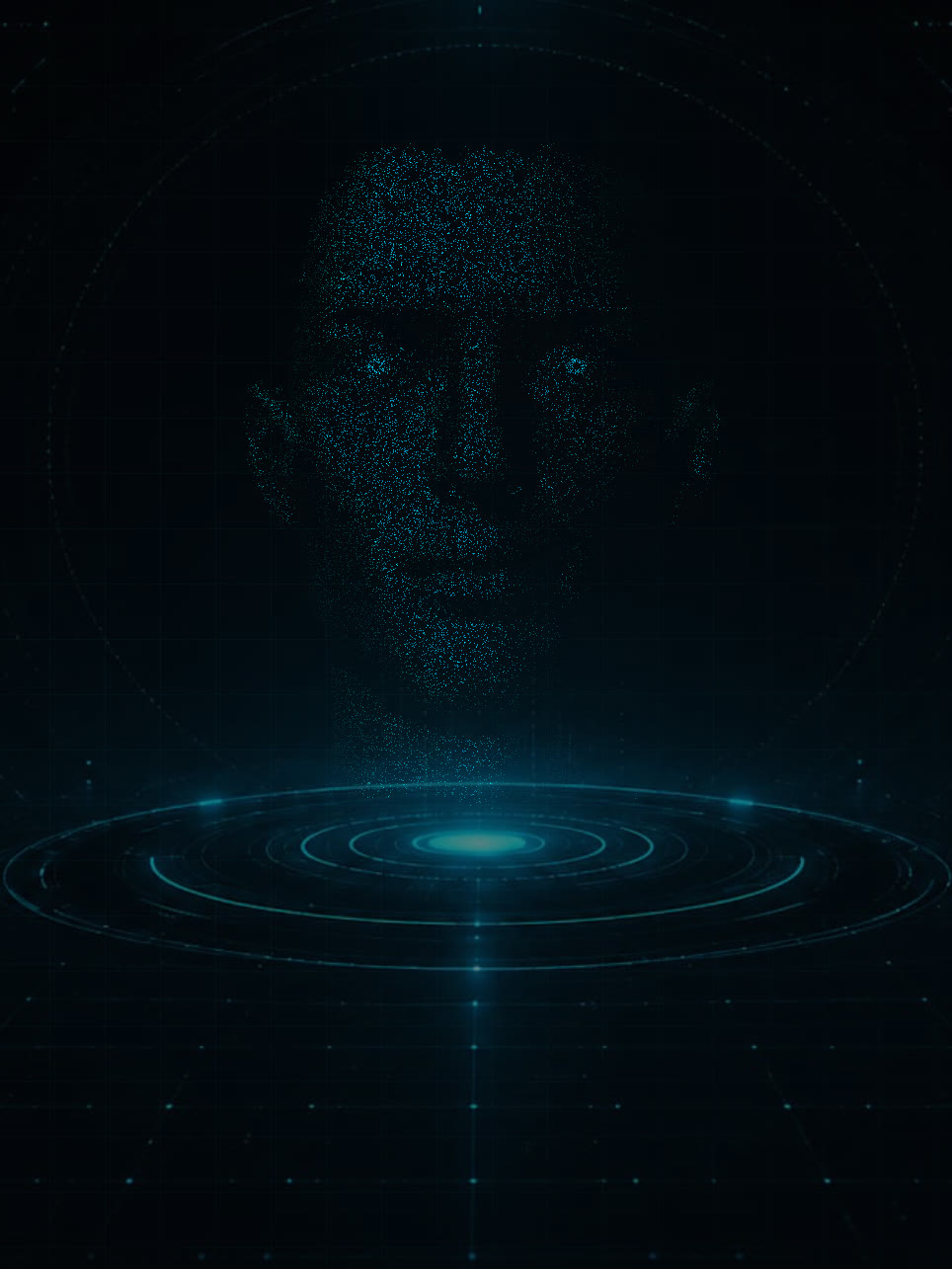
The orb now becomes a face.
Darwin's orb can morph into a living particle face that listens, thinks and speaks with you — a presence, not a widget. And as with everything here, you choose: her or him, voice and look to match. Either way, you're still simply talking to Darwin.
Real tasks take real minutes.
Darwin is a serious tool, not a flex for social media. Building something complex takes a clear ask and a little time — and that's honest. The reward is software, documents and automations made for you, on demand.
- It can program almost anything — from a sentence and some iteration
- Attach files and ask for transformations — don't retype, attach
- Iterate like with a colleague — it remembers the context
- Ignore the "whole app from one prompt" clips — feeds distort
"Surprise me with a game"
Tired? Ask Darwin — or any agent — for a quick Snake, Tetris or a knowledge quiz and it builds one in seconds, in your colours. One bored evening produced a complete neon Breakout. Your assistant isn't only for work.
Study mode: it teaches, it doesn't cheat
Flip one switch and Darwin stops ghost-writing school work. Instead of handing your kid a finished essay, it explains the topic, builds a practice quiz and coaches them answer by answer — because learning it is the point. The switch sits behind your parental access code, so it stays on.
It runs on your computer. Your data stays yours.
Darwin lives on your machine — your files, your keys, your conversations never come to us. We collect nothing and sell nothing. When you use a cloud brain, your messages go to that AI provider under your own account — exactly as if you used Claude directly. Want zero of that? Switch to the fully local, offline brain and nothing leaves your computer. If it's free, you're the product. Darwin you buy once — so you're the customer.
When you reach him from outside, you have two options — your own address, or a private network between your own devices. In both cases we see nothing. The difference is who sees the traffic on the way — with your own address it passes through Cloudflare, with Tailscale it is encrypted directly between your devices.
And this website, separately and honestly. Everything above is about the app on your computer. The site itself does count page views and which buttons get clicked — without an IP address and without a cookie — and the help chat keeps questions for 90 days so we can fix what we explain badly. Nothing is sold, nothing goes to advertisers. The full detail is here ›
Darwin now drives your CAD too.
A little Darwin lives inside EasyCAD. Give the big one a task from your phone — "make a take-off list from the current drawing" — and AutoCAD does it at home, with the answer back in your pocket. AutoCAD off? The task waits in a queue. All local, nothing in a cloud.
Your home, live in Darwin's head.
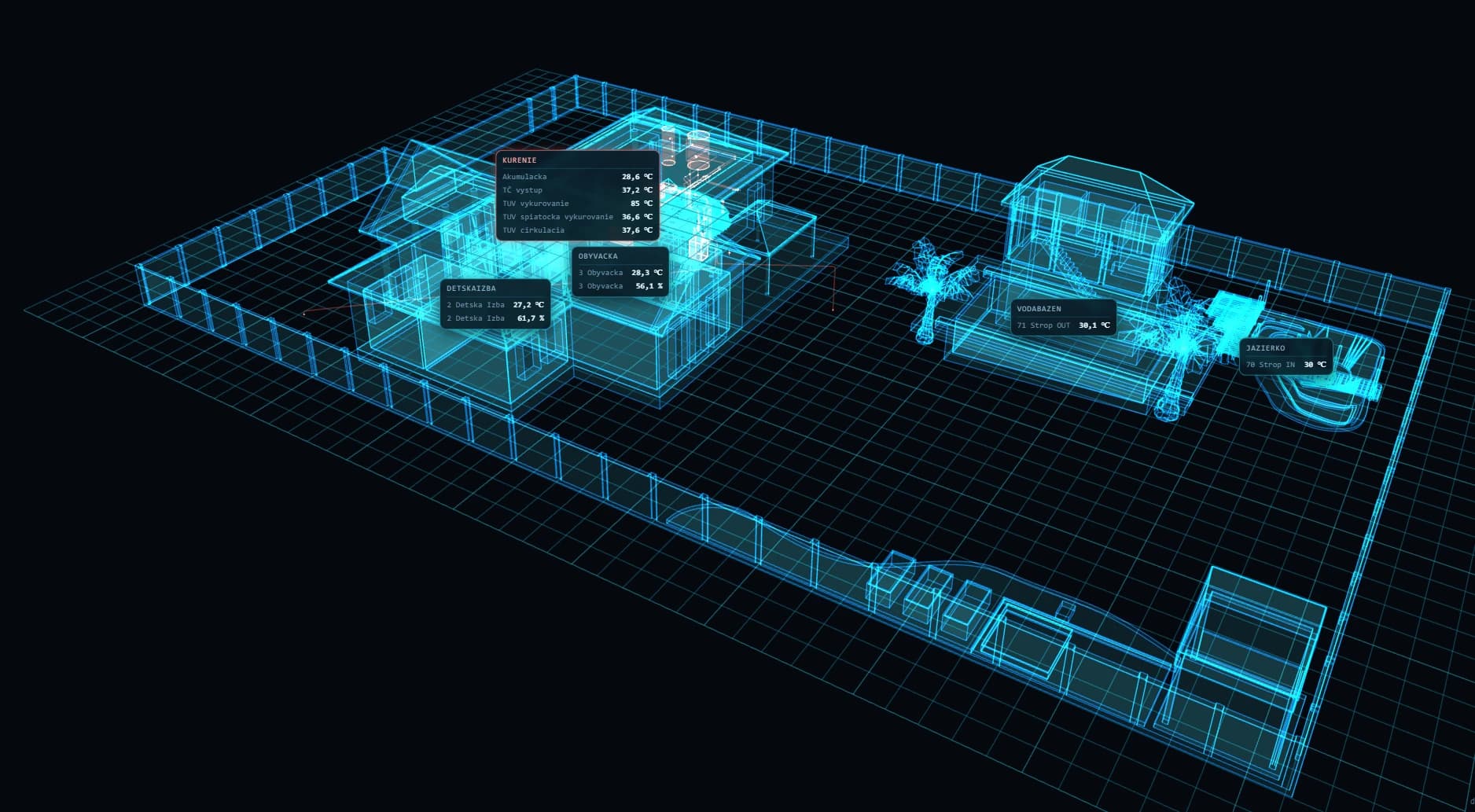
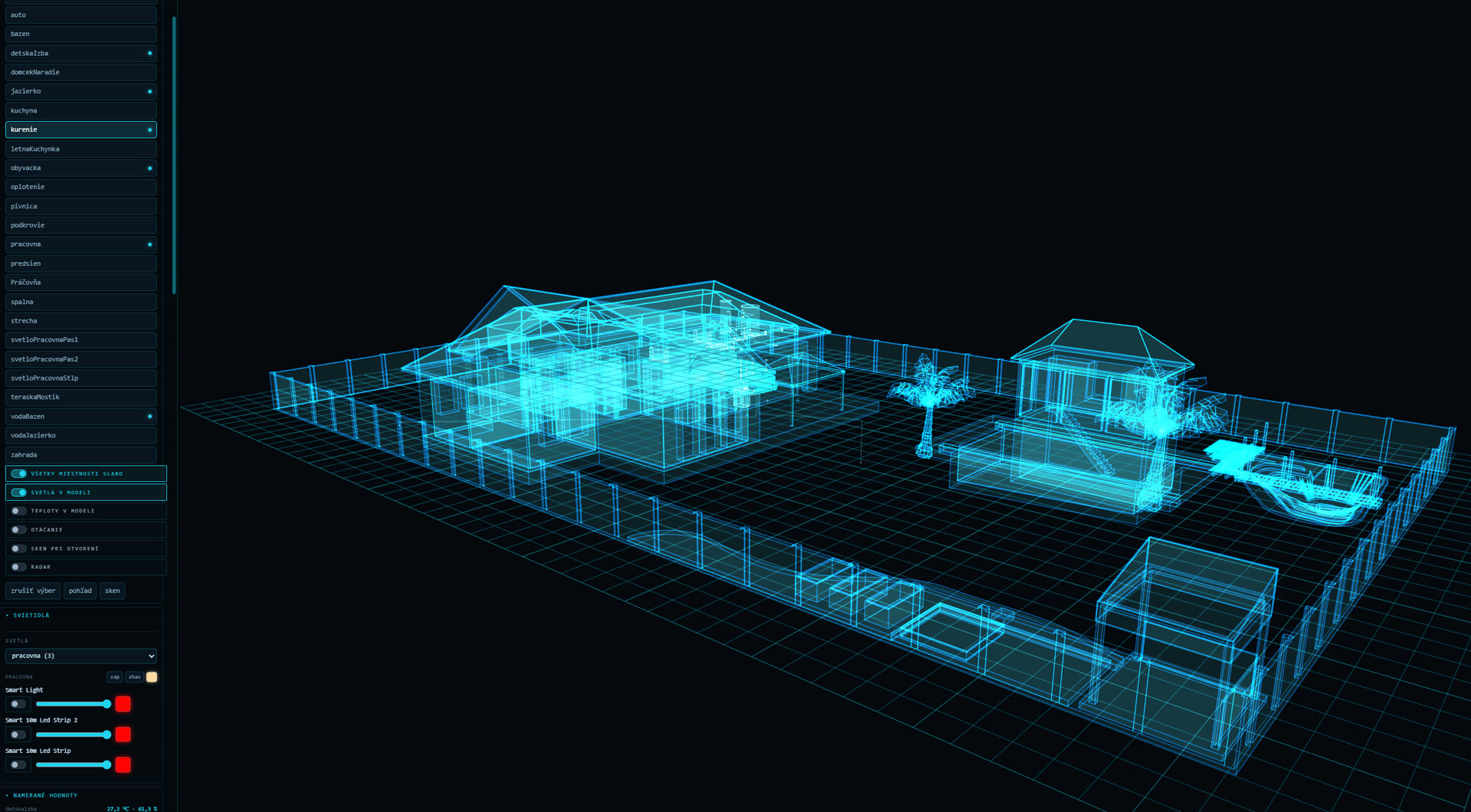
A dedicated home plugin: your house as a living 3D model — rooms, pool, garden, the heating circuit — fed by real sensors and smart devices. Ask "how warm is the pool?" and Darwin doesn't guess. He reads the sensor.
Sees every room
Temperature and humidity room by room, the pool and pond water, the whole heating circuit — buffer tank, heat-pump output, hot water. Live, in one place.
Switches the real things
Lights and smart devices connected through Tuya: on and off, brightness, colour — by voice, from the dashboard, or from your phone when you're away.
Lives in the model
Readings show up right where they belong in the 3D model. Toggle lights and temperatures in the model, spin it around, or switch on the radar view.
Buy once. Yours to keep.
No subscription to us. You bring your own AI keys (or run free & local), so the usage is yours — usually just cents a day. Every future update is free — an early-launch guarantee: buy now and it's locked in for you forever. For future buyers the offer may change.
See everything Darwin does — 43 releases in 12 weeks, all free updates ›
The pieces are free. Keeping them together is not.
You can assemble something like this yourself, and plenty of people do, straight from a tutorial. A framework for the agents. A small server to keep them running. A memory layer on top. A voice service. One integration per app. And a dashboard that somebody has to build.
Each piece is cheap, or open source, or both. The bill was never the pieces. It is the accounts you keep, the keys that expire, six things that update independently of each other, and the evening one of them quietly stops talking to the rest.
And the part we will not dress up: the brain costs the same either way. Darwin does not include the model. You run it on your own API key, on your Claude subscription, or on a local model for free, and we take nothing off the top. What you buy from us is everything around the brain.
Assembled yourself
- A server to rent and keep alive
- Monthly fees just to keep it running — tasks, automations, memory
- A memory layer, wired in and tuned by hand
- A dashboard you build and maintain
- Six moving parts — and none of it under your control
Darwin, bought once
- Runs on the computer you already own
- €199 / €249 / €449 once, no subscription to us
- Memory, voice and your phone in every tier
- The panel is part of it, nothing to build
- Every update free, for good
Same brain, same token bill. So Darwin only looks like the paid one — next to a stack of monthly fees it's the cheaper path within months, and it's yours: on your own disk, under your control, and far more powerful and flexible because you can actually shape it.
Light
The Darwin that knows.
- The whole memory — facts, notes, your document library
- Finds by meaning, not just by word
- Reads scans and photos of documents
- Memory graph and a rotating map of meanings
- Web and reading pages — even behind a login, with a vault for your credentials
- Writes documents for you
- Voice
- Telegram or PrivateChat on your phone — text or voice, no tunnel needed
Personal license, one user, one computer. No resale or sharing.
Standard
The Darwin that acts.
- Everything in Light
- Your mail, files, calendar and tasks
- The whole dashboard on your phone — approve drafts, see what's waiting
- Three helpers — each with its own job and its own memory
- Three automations that run on their own
Single-seat on one computer, commercial use allowed. What you build is yours. No reselling Darwin itself.
Pro
The Darwin with no limits.
- Two computers on one license — your main computer + a second device, in the price
- When a tool is missing, he writes it himself — and starts using it right away
- Everything in Standard
- Helpers and automations without a cap*
- Generates images and video
* Fair use — no hard number, just don't run a server farm off it.
We run a campaign on Instagram — that is where Darwin gets shown doing real work, and a discount code goes out to people who leave a comment. It is worth a follow before you buy.
Two computers? Pro pays for itself.
Plenty of us live on two machines — a desktop at work, a laptop at home. That's why a Pro license covers two computers in one name: your main computer and a second device. No buying twice.
| Price | Second device | |
|---|---|---|
| 2× Standard | €498 | yes — but you pay twice |
| Pro | €449 | in the price |
— and on top of that, Pro adds image & video generation, tools he writes for himself, and helpers without a cap. What you do with the two computers is up to you:
Link them — one Darwin, everywhere
Shared memory between your devices: what Darwin learns at work, he knows at home. The memory lives in your own shared storage (NAS, OneDrive, Google Drive…), so the other computer doesn't need to be on.
Keep them separate — work and private
One Darwin for work, the other purely personal — each with its own memory. Nothing mixes, nothing to configure. You can change your mind and link them any time.
Both computers belong to one name — you and your devices, not a colleague (for that there's the Team setup). Shared memory between devices is a Pro feature. And as always: the license verifies offline, on your machine — no account, nothing sent anywhere.
Working with other people?
Darwins can be connected. Work is handed from one to another, and you get an overview of what's moving — across employees, collaborators and freelancers alike.
From€690depends on how many of you there are and what you need connected
Lifetime updates free
Ask about a team setup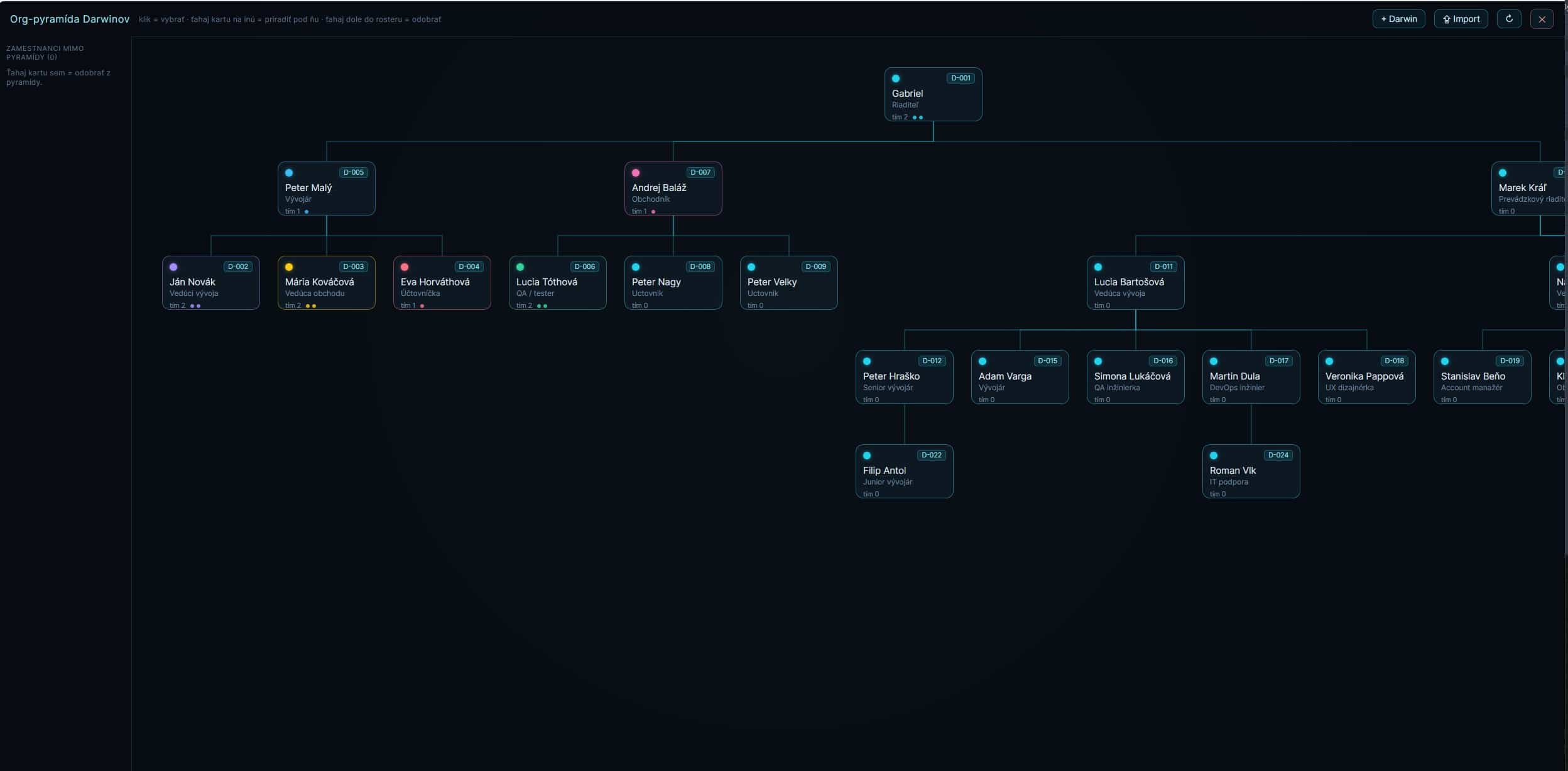
Activated with a personal key e-mailed instantly — on one computer, or on two with Pro. Verified offline — no account needed. Lifetime free updates are an early-launch guarantee: the terms at your purchase stay yours for good. Moving up a tier later is just a new key — instant, no reinstalling. See the full license terms.
What people who own Darwin say
Real reviews from verified license holders.
Get the assistant I use every single day.
Buy once, own it for good — and every future update is free. The price grows as features grow, so the earlier you join, the lower it stays, for good — and the lifetime-updates guarantee itself is an early-launch offer that may not be around forever. This is the real thing, not a demo reel.
Lifetime updates free
Buy once · no subscription to us · runs on your machine
Everything to set Darwin up
Local & free
Ollama (local brain)Some links are referral links — they cost you nothing and support Darwin's development.